 Tikpilot
Fifty routers in one window
Central management for a MikroTik fleet: status, bulk operations, backups and alerts, for fifty routers or for five. Runs on your own server and sends nothing outside.
git clone https://github.com/maximdr86/tikpilot
cd tikpilot && cp .env.example .env
docker compose up -d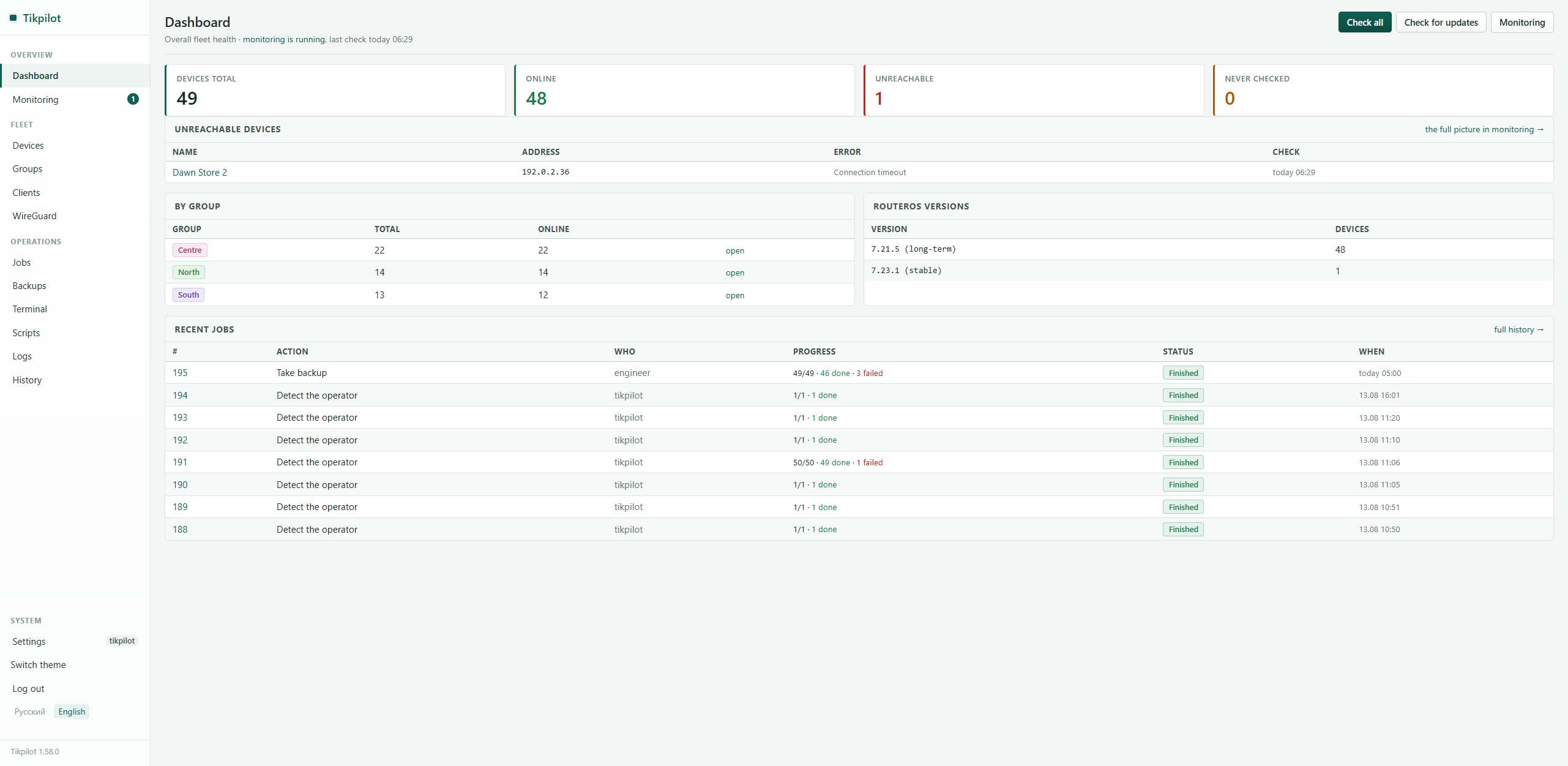
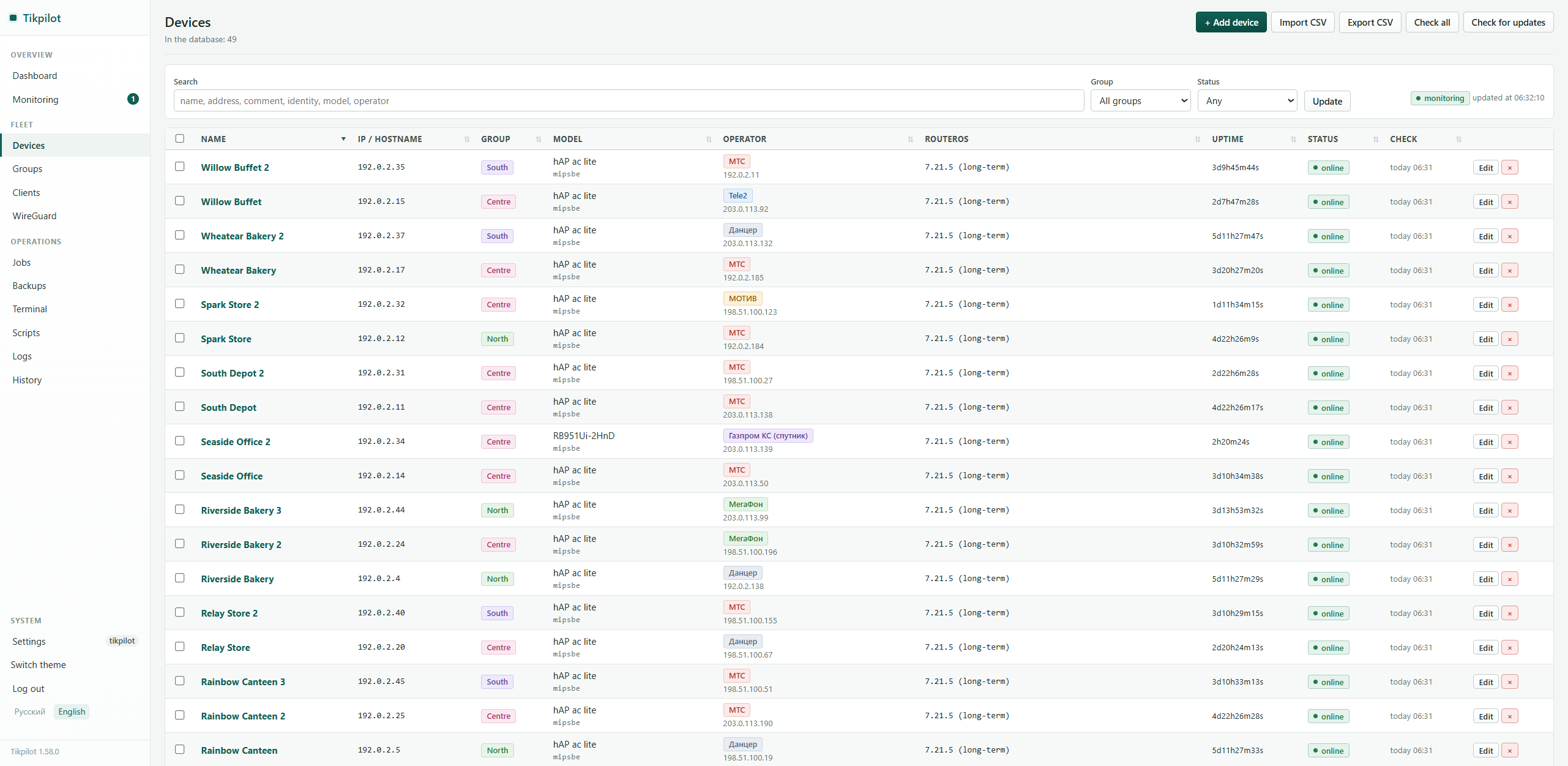
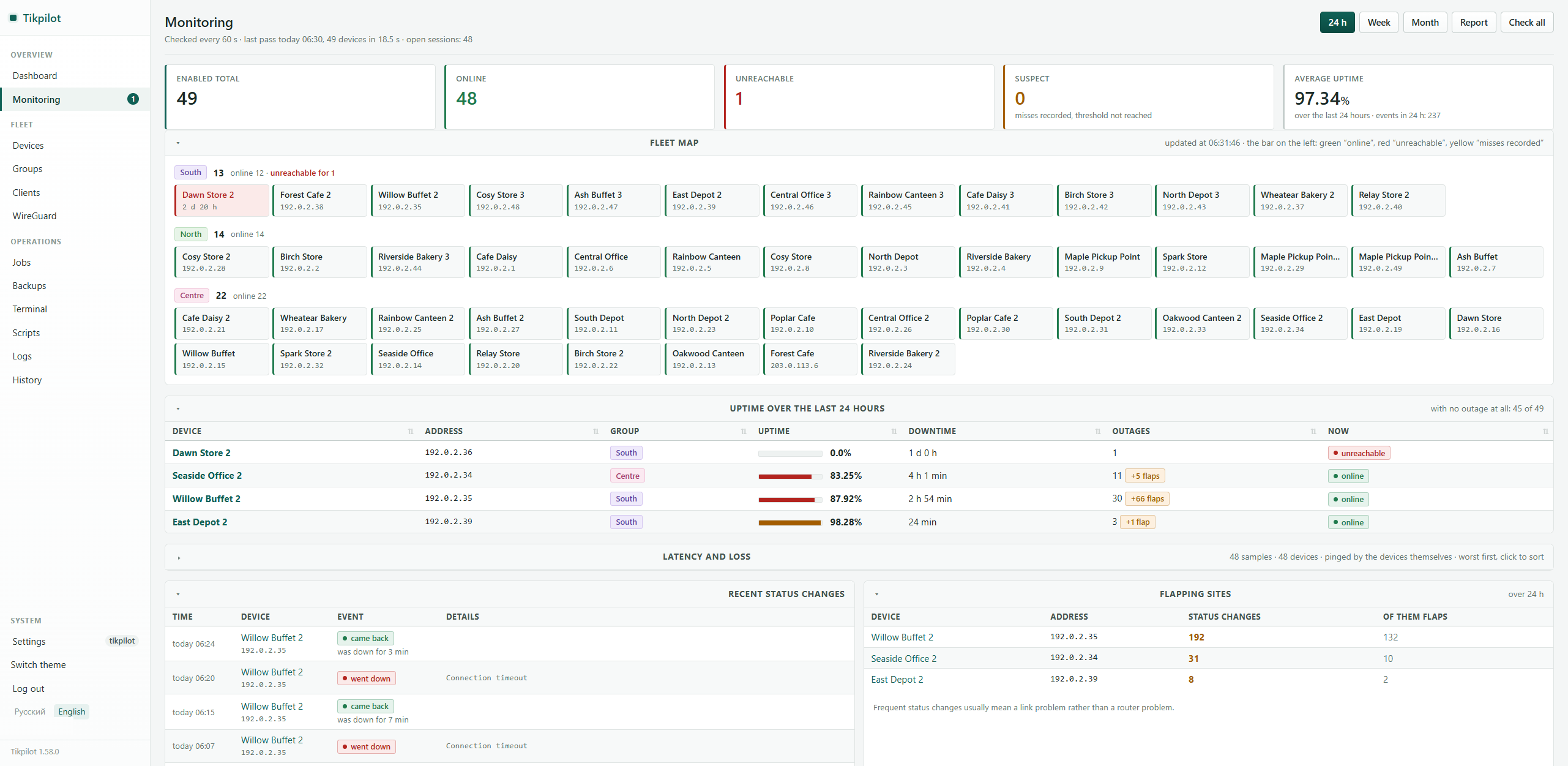
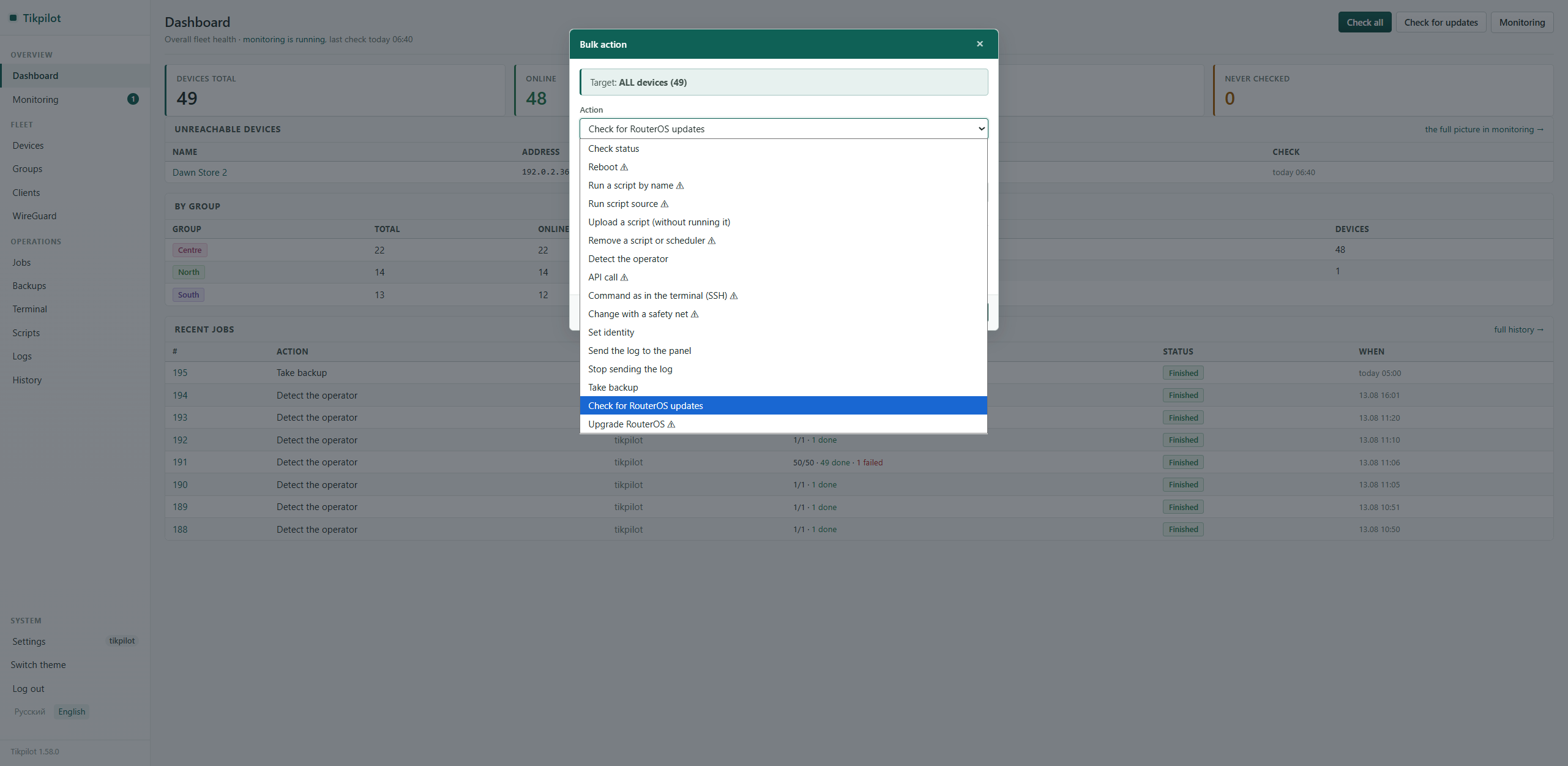
The screenshots come from a live fleet of 49 routers with screenshot mode on: site names, addresses and client names are replaced by the panel itself.
See
What the fleet is doing, without opening WinBox fifty times.
- What to deal with today: offline, flapping, packet loss, stale backups, syslog gone quiet, low memory, open services - in one list.
- Who is up and since when, downtime over the day, a map by group.
- Latency and loss measured by the router itself, not by the server.
- Uplink speed: an average between polls rather than a one second spike.
- How much was received and sent in total over a day or a week.
- RouterOS version, model, uptime, mobile operator and free space.
- What is plugged in at a site: port, address, vendor by MAC.
Do
The repetitive part, across the whole fleet at once.
- Reboot, run a script, take a backup, set identity, upgrade RouterOS.
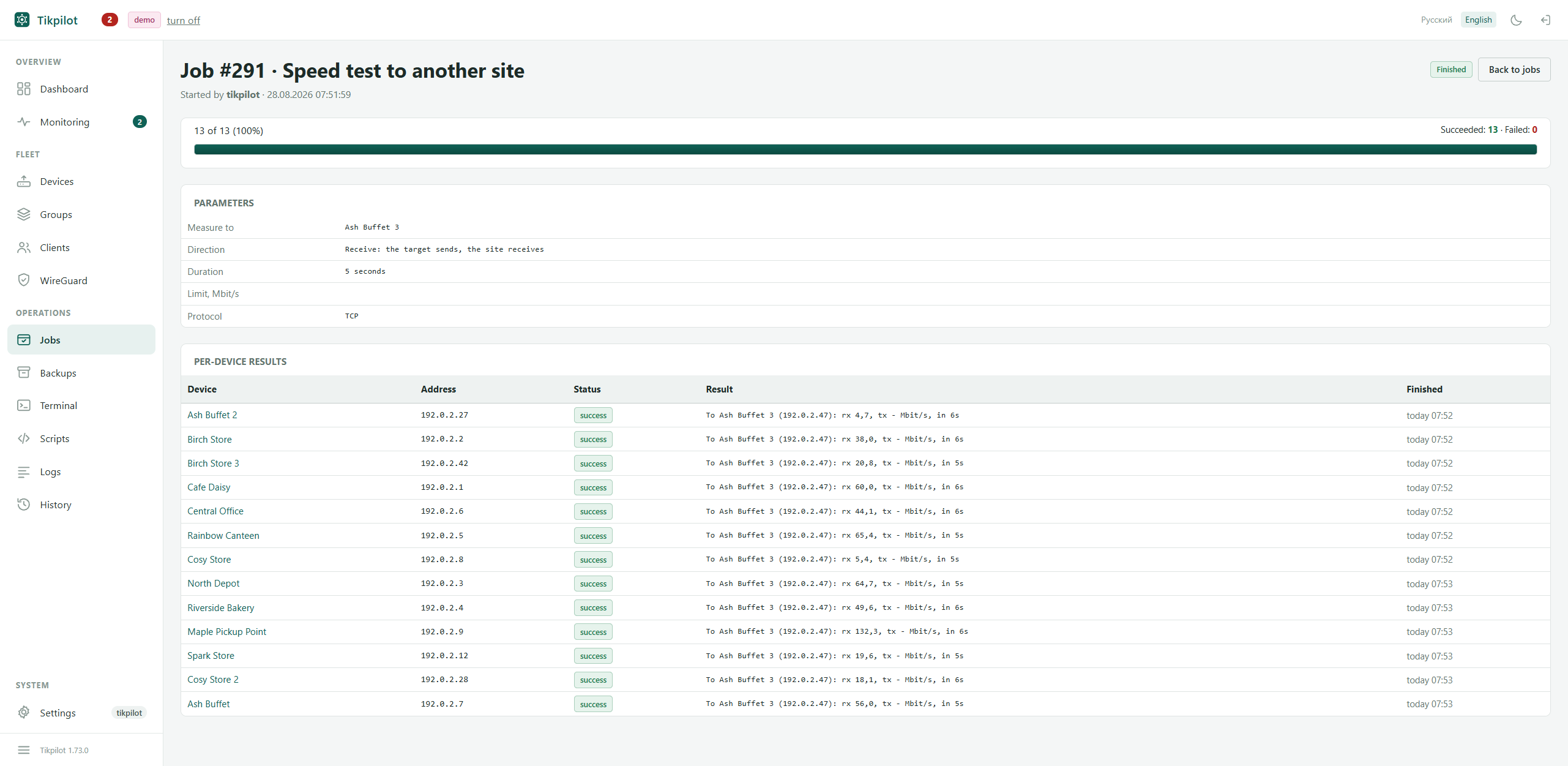
- Every run is a job with a result and an error text for each device.
- Download is separate from install: pull by day, reboot at night.
- Scheduled backups, a diff between any two configs, search across all of them.
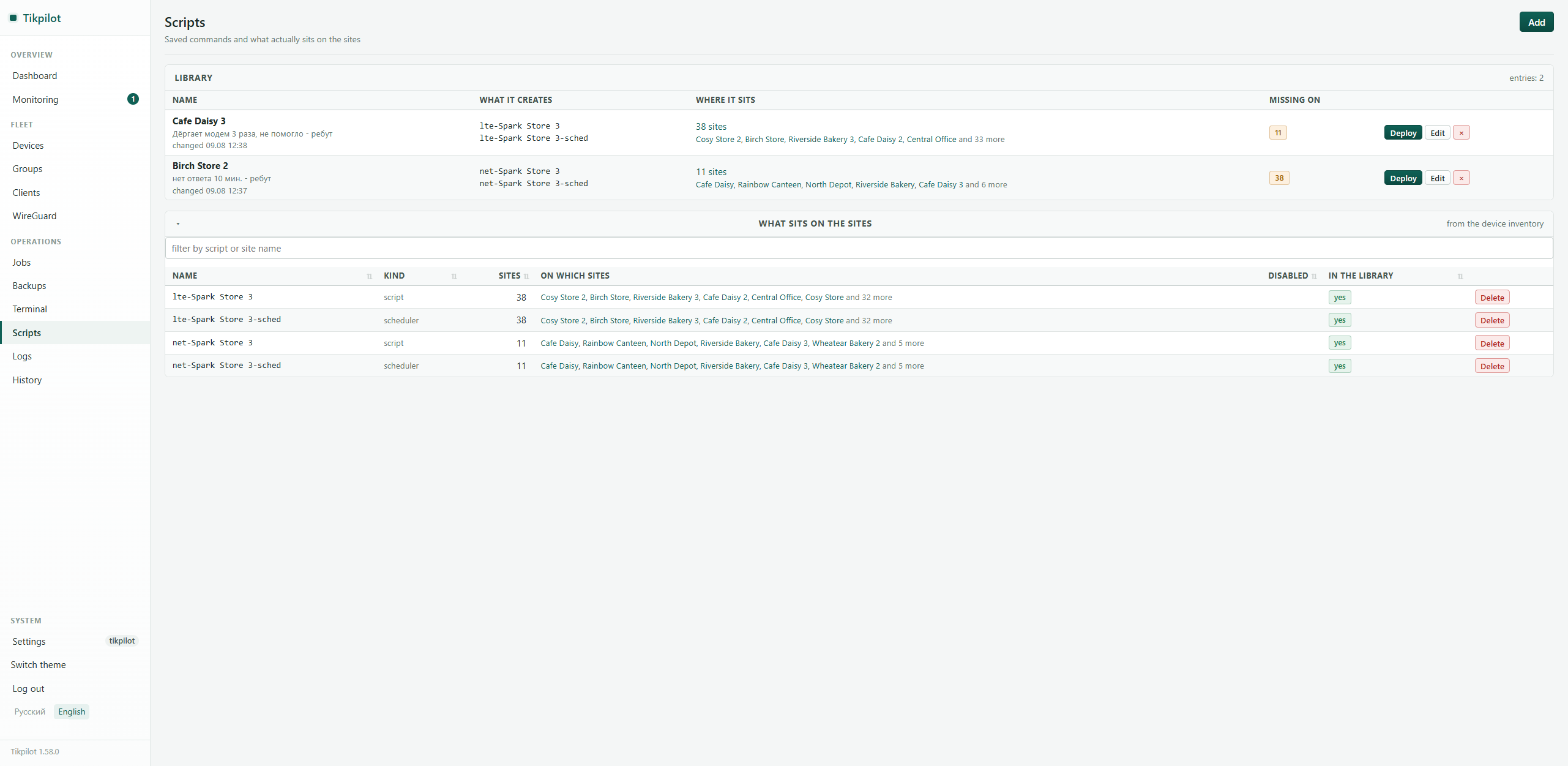
- A script library and the answer to what is really deployed where.
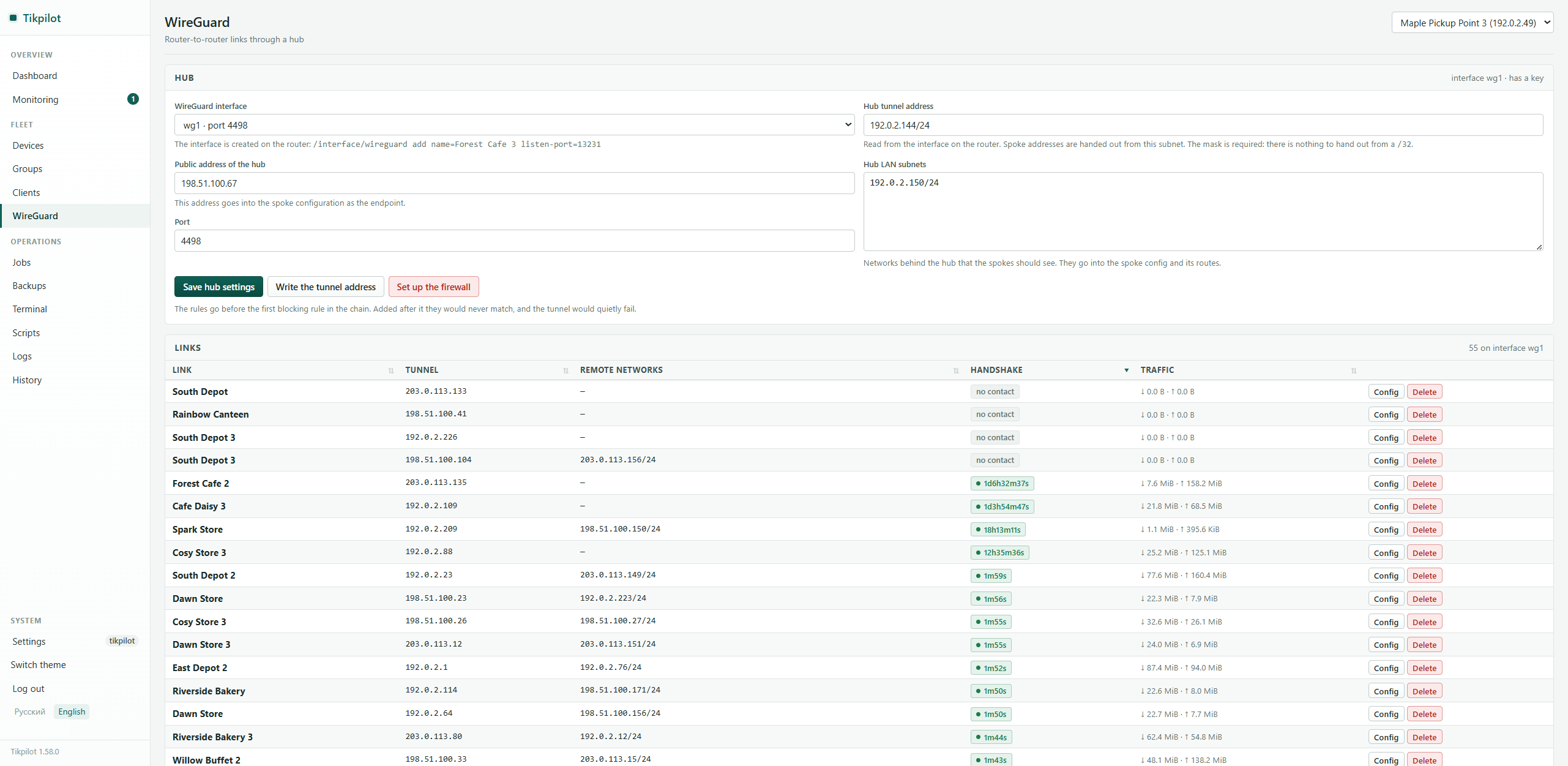
- WireGuard links through a hub, with the spoke config generated for you.
- A speed test between two of your own sites: the panel brings btest up on the target, measures, and puts it back.
- A RouterOS terminal over SSH when you need to do it by hand.
Do not miss
The panel tells you when it is worth looking.
- A rule is a condition and a duration: unreachable for half an hour, under two megabytes free, no backup for a day.
- Telegram messages as a digest: fifteen outages are fifteen lines, not fifteen messages.
- Quiet hours and a pause per site, so flapping does not drown the rest.
- A public link for a contractor: site names and state, nothing else.
Screens
Install
Any server with Docker that can reach the routers. The panel comes up on port 8080.
git clone https://github.com/maximdr86/tikpilot
cd tikpilot
cp .env.example .env
docker compose up -d
Then: create an API user on the routers and add devices by hand or by CSV import.
The panel talks to RouterOS over the API (8728/8729) and over SSH for the terminal.
To update: git pull and docker compose up -d --build.
What it does not do
- No network scanning, no topology. Zabbix and The Dude do that better.
- No replacement for WinBox: fine tuning stays there.
- No cloud: no sign-up and no server of mine involved.
- No stream of notifications. Digest only, and only if you turn it on.
Frequently asked
Is Tikpilot an alternative to The Dude?
Partly. The Dude and Zabbix answer “what is happening in my network” and do it better. Tikpilot answers “do this on all my routers”: run a script, take a backup, upgrade RouterOS, and show a result for every device. It also keeps availability history, so for a small fleet it often replaces both. The full comparison is here. There are also walkthroughs of a bulk RouterOS upgrade, config backups and fleet monitoring.
How do I upgrade RouterOS on all routers at once?
Pick the devices or a whole group, choose “Check for RouterOS updates” and then “Upgrade RouterOS”. Every run becomes a job with a per-device result, the panel waits for each router to come back, refuses downgrades and checks free space before it starts.
Can it back up MikroTik configs on a schedule?
Yes. Rules run on their own: binary .backup, text .rsc or both, N copies kept per device. Any two configs can be compared line by line, and there is full-text search across everything stored.
Does it work without internet access?
Yes. The panel talks only to your routers over the RouterOS API and SSH. The two optional exceptions are looking up the mobile operator in the address registry and downloading the MAC vendor database, both of which you switch on yourself.
How much does it cost?
Nothing. MIT licence, the source is on GitHub, there is no paid edition and no cloud account.
Why it is built this way
One process and a database file
Python, FastAPI, SQLite. No Redis, no queues, no frontend build.
No outbound requests
Pages are rendered on the server, fonts and scripts are local. The panel has to work in an isolated network.
Passwords and access
Router passwords are encrypted with a key kept outside the database, every capability is granted separately, and everything is written to an audit log.
Tested against a real protocol
More than three hundred tests on three versions of Python, against a stub that speaks the real RouterOS protocol.
Who wrote this
I am a sysadmin looking after 49 sites: shops, canteens and remote locations. The panel grew out of that work and runs my own fleet, so the bugs reach me first.
The code was written by an AI model (Claude) under my direction. I say so up front rather than let anyone find it in the commit history. MIT licence: read the code before you trust it with your routers.